
How to Activate the GMB Review
Google My Business Review is a 4 email campaign that automatically sends to a contact once activated over 4 day period. It allows you to send an email asking to write a review on your Google My Business Link.
Step 1: To activate the campaign on a selected contact go to the Contact Page
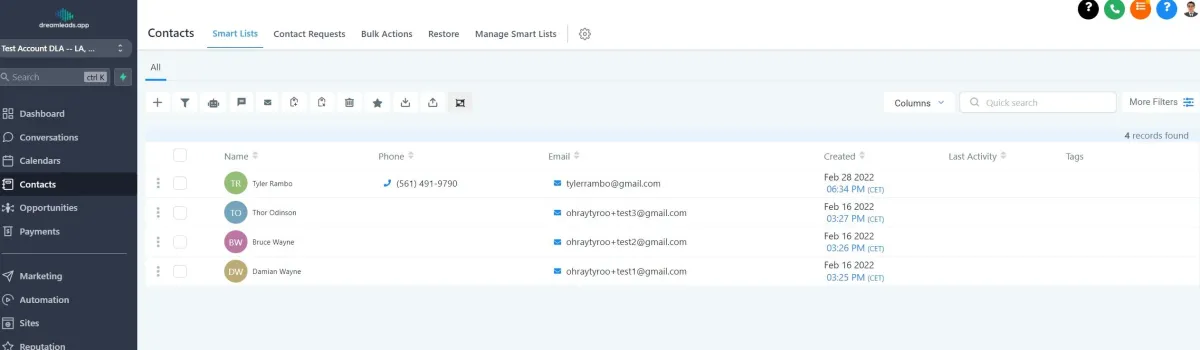
Step 2: Select the contact you want to activate the campaign and send the email automatically
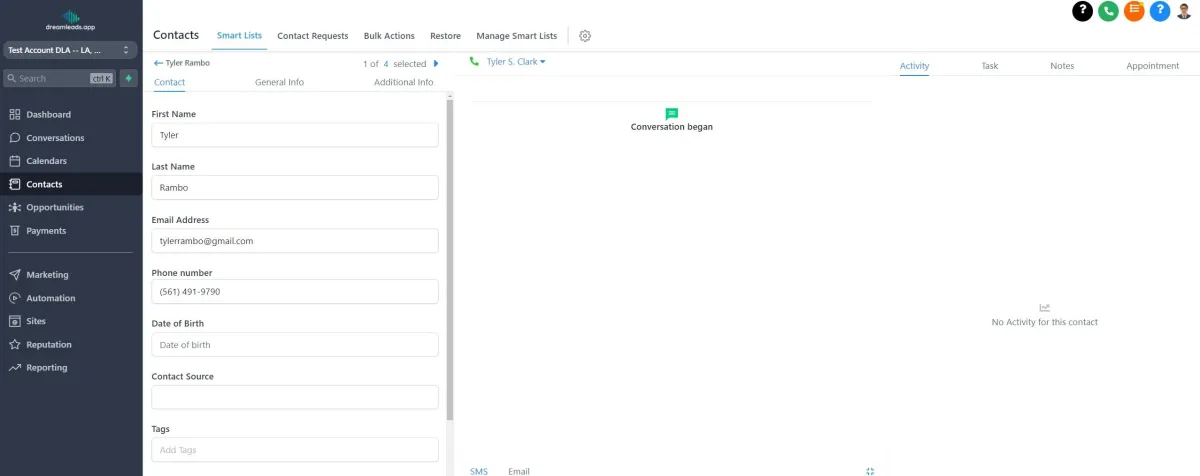
Step 3: Once a contact has been selected click on the additional information
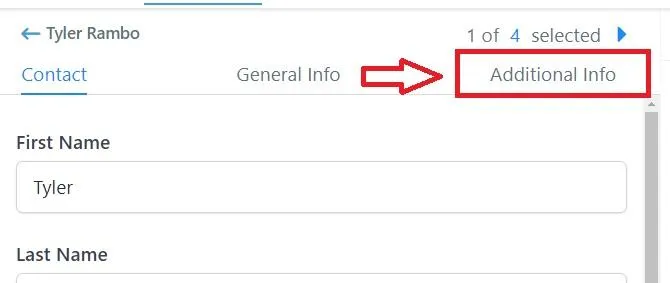
Step 4: under the additional information tab scroll down and look for the Left A Review Button
Select the No Did Not Leave A Review
Once Selected Scroll down and hit save and the campaign will automatically activate
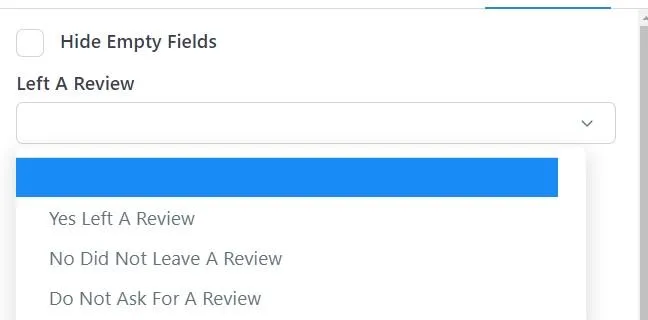
Note: if the additional Info tab does not show any value make sure to uncheck the Hide Empty Filed Button
Conversations
Reporting
If you have any suggestions for an automation or questions you can send an email to [email protected]