
How to Update Password
A security breach can quickly turn a dream experience into a nightmare situation. We’re proactive in all things, so we go above and beyond to make sure that our clients’ information is secure and protected. All you need to do is set your password, and we’ll take care of everything else.
If you need to update your DLA password follow these simple steps:
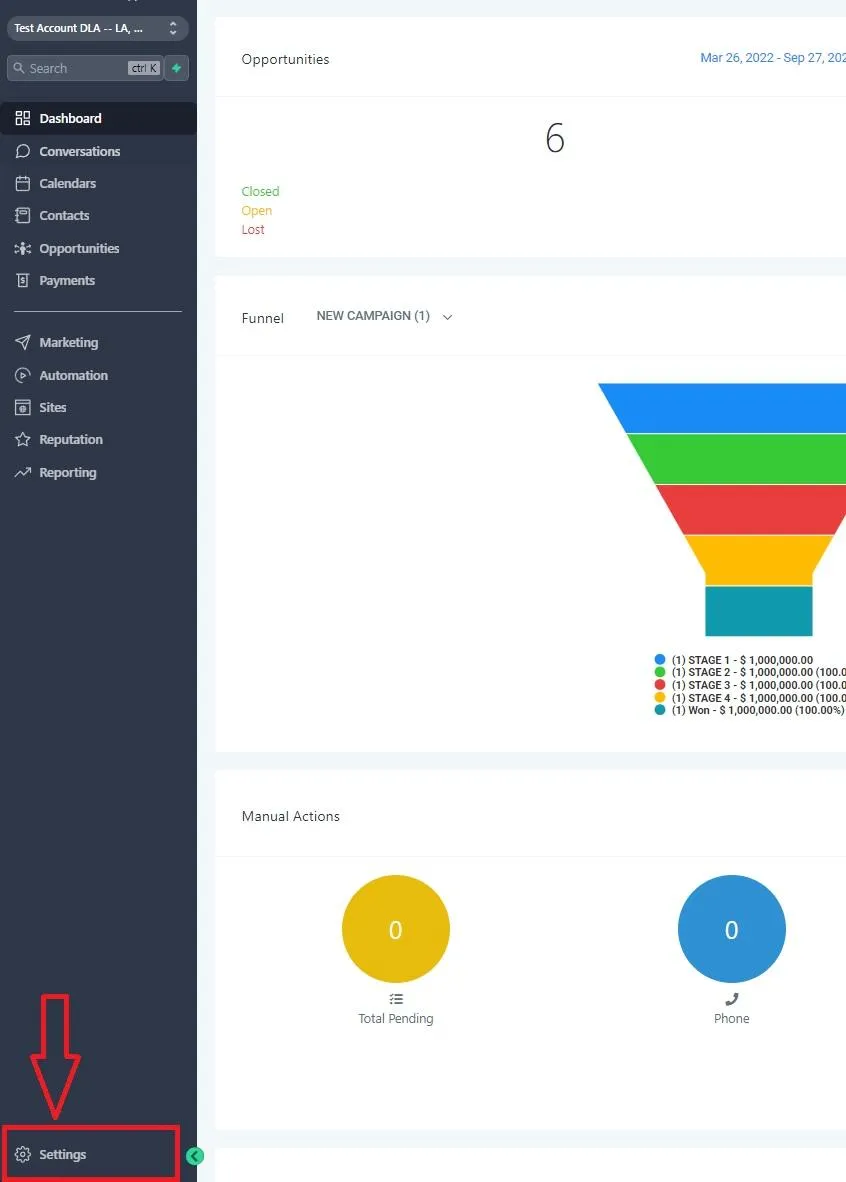
Step 1: Log in to dreamleads.app and click on “SETTINGS” at the bottom left of your DLA homepage.
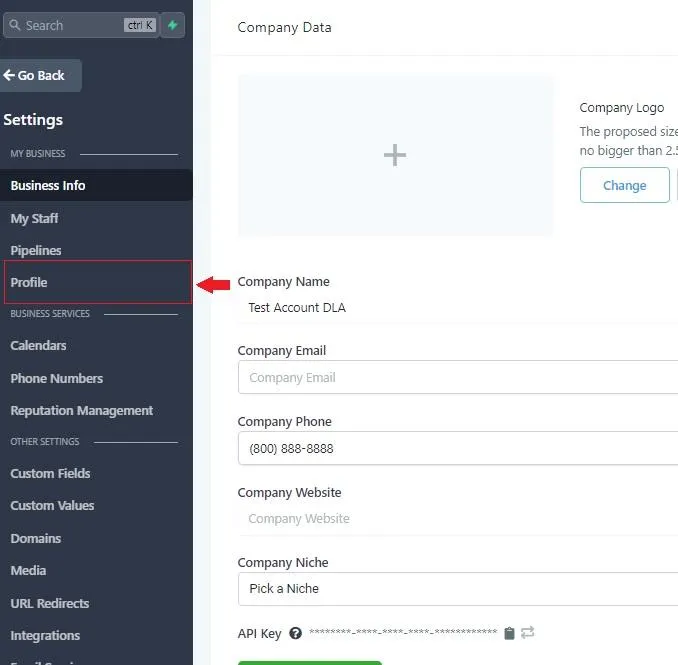
Step 2: On the settings page, click on Profile in the left hand menu.
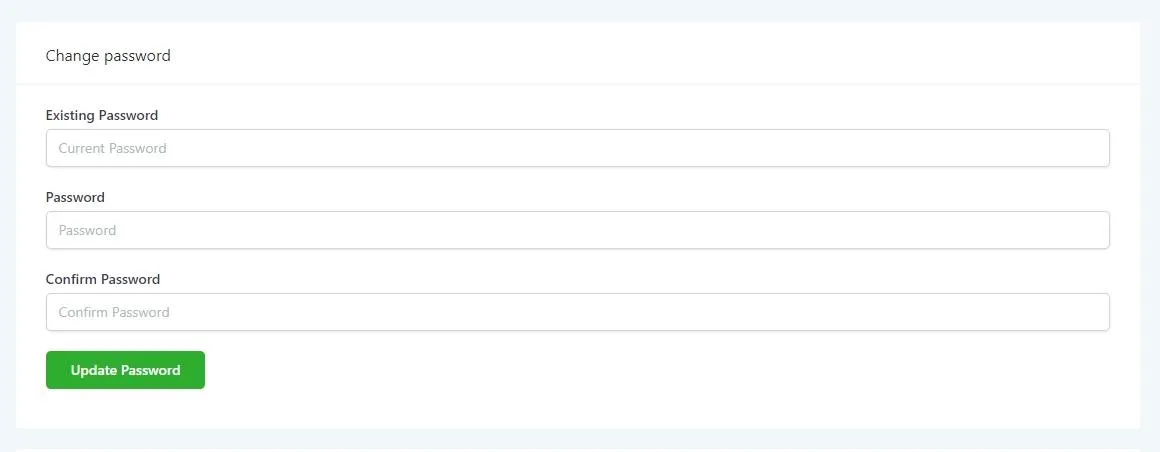
Step 3: Once on your profile, you can change your password on the right side of the page. This password won’t be stored anywhere but in your head (or a crumpled sticky note that will get lost in your desk). And if you need to reset it, we’ll be right here.
Conversations
Reporting
If you have any suggestions for an automation or questions you can send an email to [email protected]