
How to create a Social Group?
There are times when there are multiple social media profiles or networks. It becomes tough to select each time social profiles while creating a new post. It would become a lot faster to select them all at once with Social Grouping.
It can be created from the overview page of Social Planner or while creating a new post or in Settings of Social Planner, user can manage the social accounts inside the group.
Each Social will become unique inside the group.
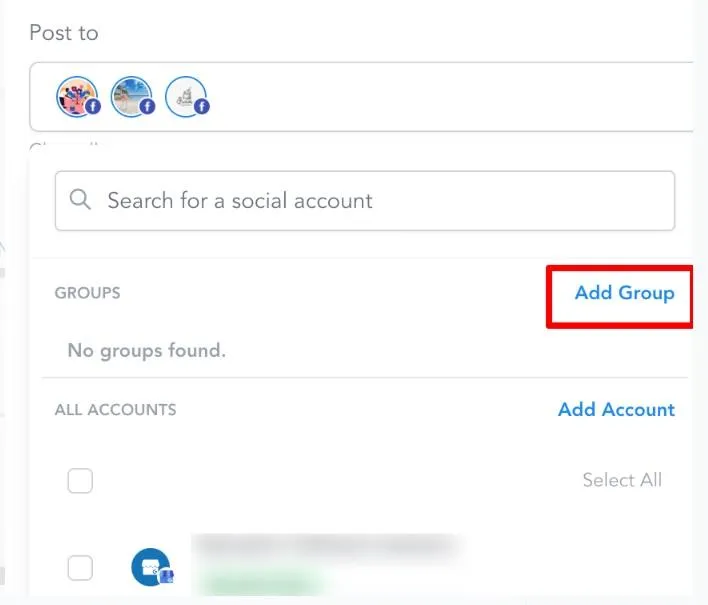
Step 1: Click on Add Group
Step 2: Enter the Group Name
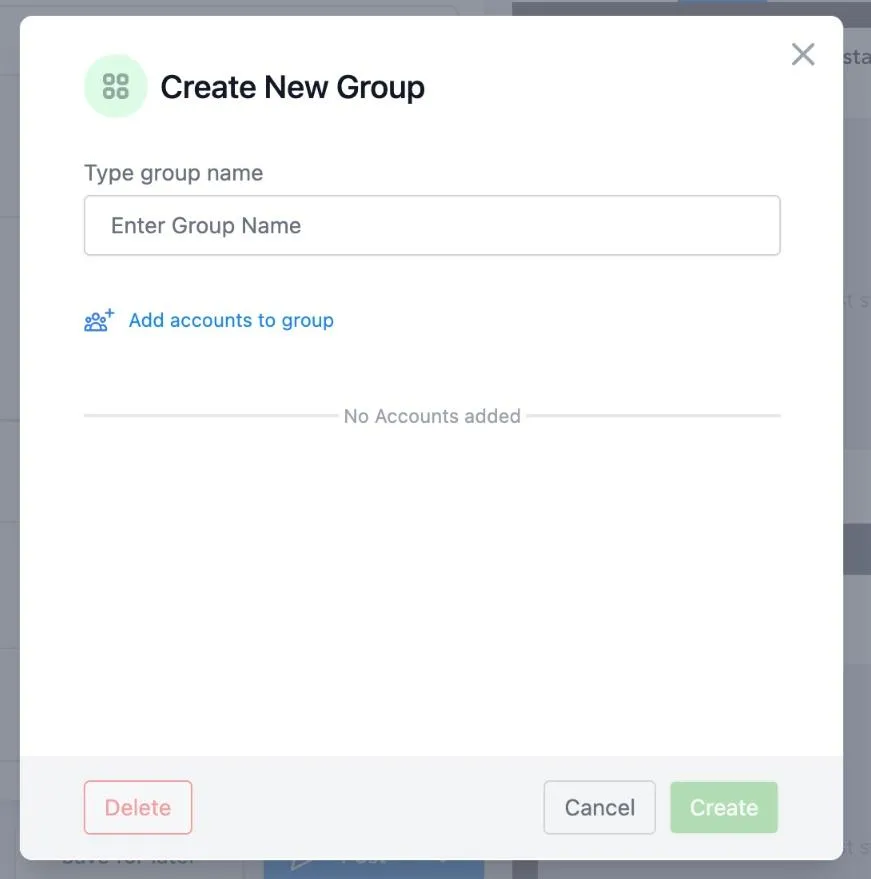
Step 3: Click on Add accounts to group and select your social channels
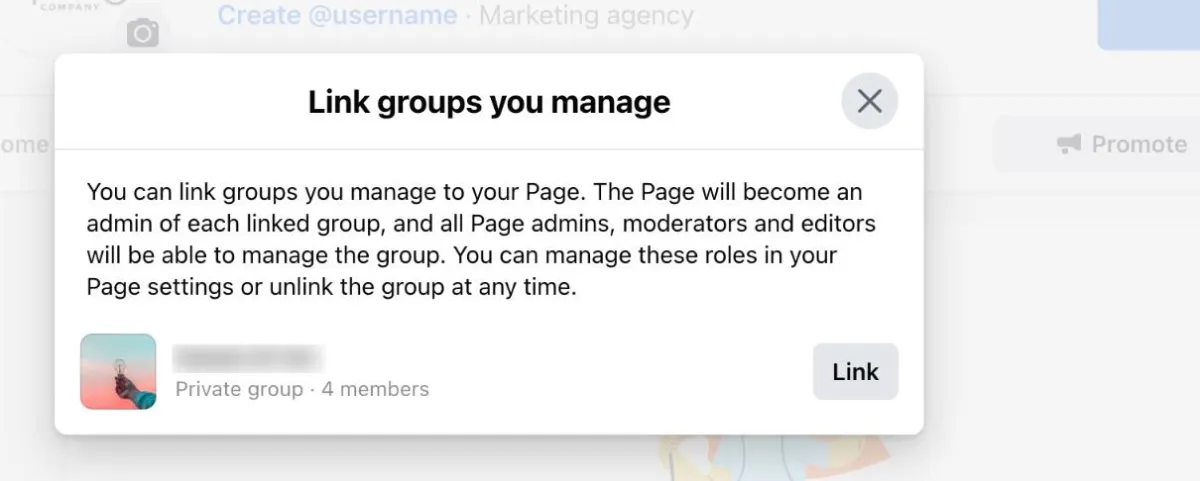
Step 3: Click on Add accounts to group and select your social channels
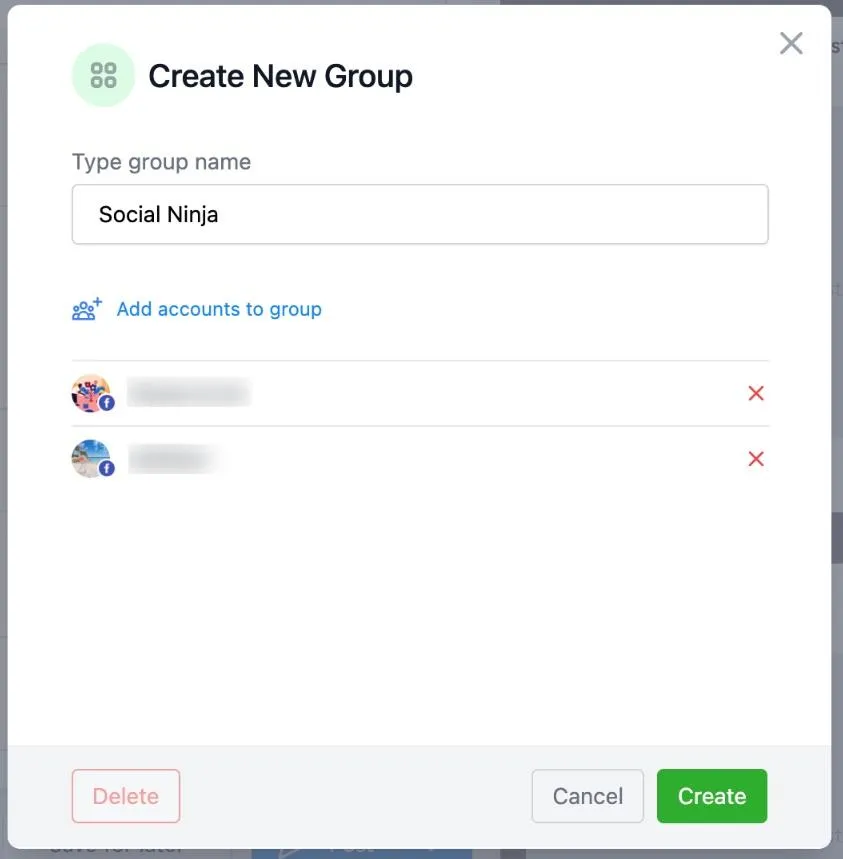
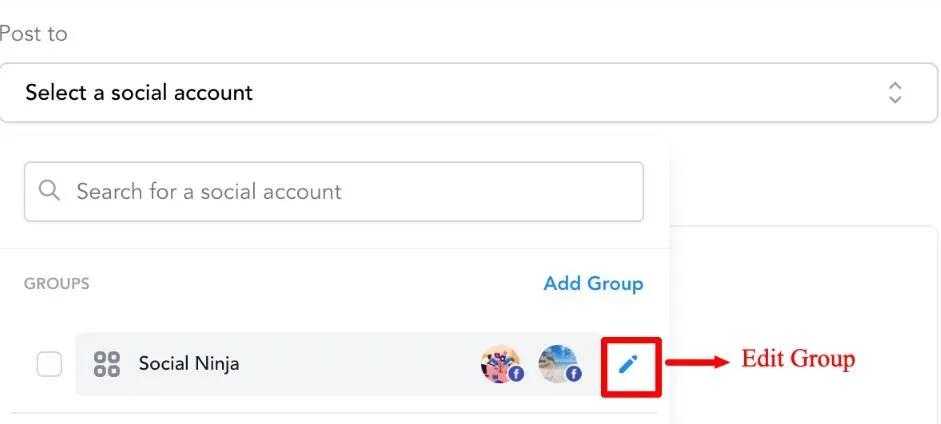
Step 5: If needed, you can edit the Group by clicking on the pencil icon
Conversations
Reporting
If you have any suggestions for an automation or questions you can send an email to [email protected]